Compare
Plotscribe vs Scrivener
A connected story world vs a binder of documents
Scrivener organizes a long manuscript as documents in a binder, and it’s good at that. Plotscribe starts from the story instead: characters, places and plot points are records your prose links to, so the plan and the story bible keep up with the draft. It also has things Scrivener doesn’t: a writing timer, live collaboration and a Linux version. Both are one-time purchases that work offline, and neither writes for you.
- Interface
- PlotscribeThe chapter, its characters and its plan open side by side. ⌘K jumps to any chapter or character by name. A short tour on first launch, and eight themes from Cream to Nord and Dracula.
- ScrivenerBinder, editor and inspector in one window, with a toolbar and deep menus. A customizable full-screen composition mode and a dark mode.
- Project model
- PlotscribeA World: books, chapters, characters, places and plot points that know about each other.
- ScrivenerA binder of documents and folders. Anything outside the Draft folder is reference you organize by hand.
- Story bible
- PlotscribeEntity records recognized in your prose by name and alias. Linked details update the words where you placed them, continuity facts point back to their source, and a relationship graph shows who is tied to whom.
- ScrivenerCharacter and setting sheets are documents written from templates. They are not connected to the prose that mentions them.
- Planning
- PlotscribeA Plan board by plot line or by character, with plot points attached to chapters and shown beside the draft. Start from a story structure such as Three-Act and adapt it to your book.
- ScrivenerCorkboard index cards and an outliner of synopses and metadata. Moving a card rearranges the manuscript.
- Writing sessions
- PlotscribeSet a timer for 15 to 90 minutes, a word goal and a short task list, then write until time is up. Pause or add time as you go, then take a break before the next block, Pomodoro-style. Tasks can link to plot points.
- ScrivenerWord and character targets for the manuscript, a section or the current session. No built-in timer.
- Drafts and revisions
- PlotscribeAlternate versions of a chapter you can draft and promote to the main one, what-if branches on a passage, and automatic snapshots before structural changes.
- ScrivenerSnapshots of a section taken before a revision, with Compare to show what changed.
- Research
- PlotscribeNotes keep PDFs and web pages saved from the desktop app, readable beside the chapter. Convert to text makes them editable and searchable, and keeps the original. The web app saves pages as links.
- ScrivenerThe Research folder holds PDFs, images and web pages saved as archives. Converting a page or PDF to text loses most of its formatting.
- Platforms
- PlotscribeAvailable for macOS, Windows, and Linux. A web app for licensed, synced Worlds.
- ScrivenermacOS, Windows, iPhone and iPad. No Linux version.
- Sync
- PlotscribeOptional Workspace sync, $5/month. Open the same World on several computers.
- ScrivenerThrough Dropbox or another cloud folder. Close the project on one computer before opening it on another.
- Collaboration
- PlotscribeShared Workspaces with live editing and Read, Write, Export and Admin roles. $2/month per extra collaborator.
- ScrivenerSingle-writer projects. No shared or simultaneous editing.
- Your files
- PlotscribeA desktop World is one readable JSON file, project.plotscribe, in a folder you choose. Export everything as Markdown whenever you like.
- ScrivenerA .scriv project package of RTF documents, read by Scrivener.
- Export
- PlotscribeSubmission package, standard-format Word, styled Word, EPUB and print PDF, or everything as Markdown or plain text.
- ScrivenerCompile to Word, PDF, ePub, Final Draft and more, with deep control over every format.
- License
- PlotscribeOne purchase for every computer you own: $10. 7-day trial.
- ScrivenerOne purchase per operating system, for your household. Major versions are a paid upgrade. 30-day trial.
The story bible, next to the sentence
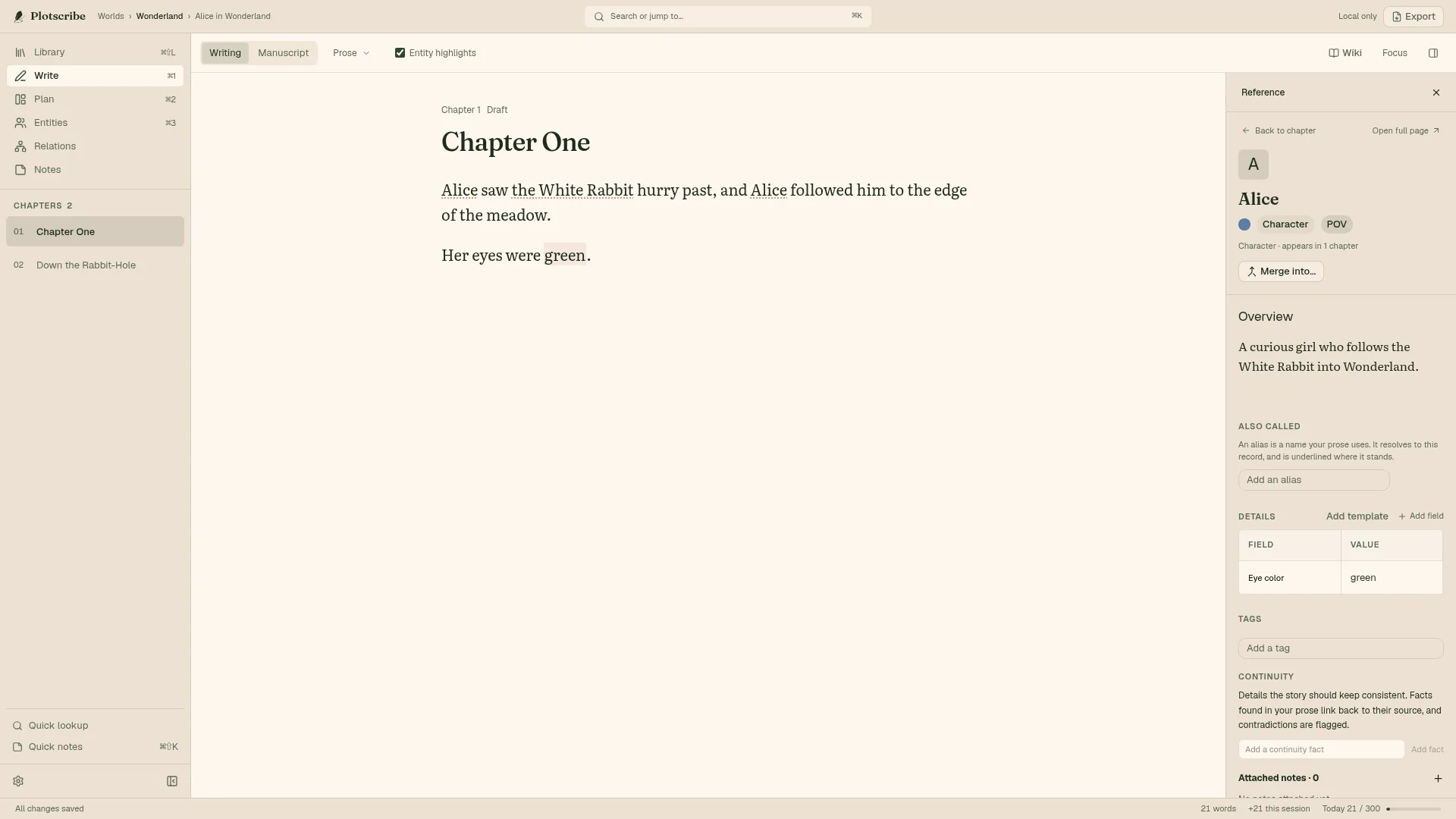
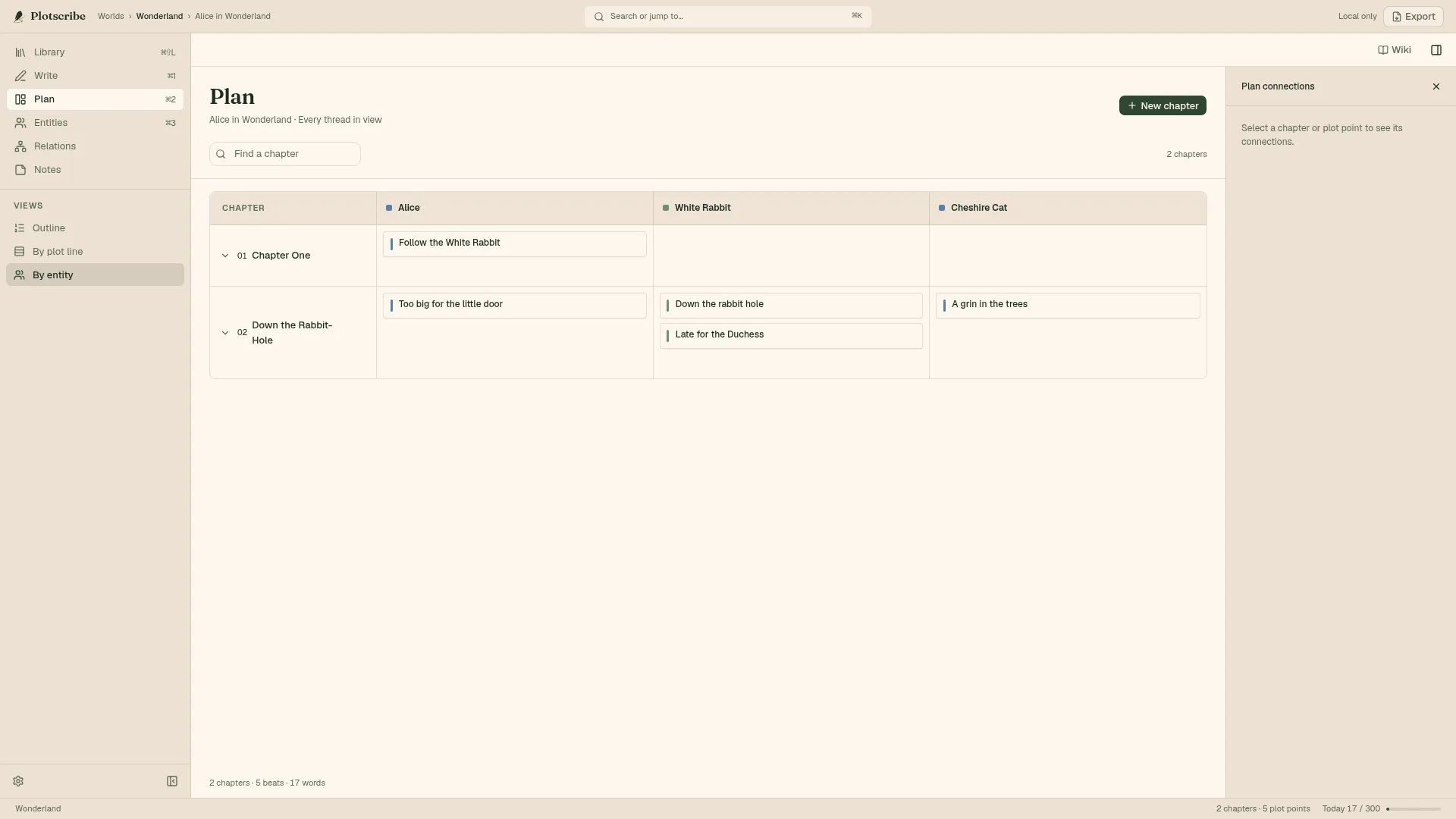
Screenshots use an authored sample World, Wonderland. The prose and character details were written for it, not generated.
When Scrivener is the better fit
- You write on an iPad or iPhone
- Scrivener has native iOS apps. Plotscribe runs on desktop computers and in the browser; it has no mobile app.
- Your research is more than PDFs and web pages
- Scrivener’s binder also holds images and other files next to the draft, with a split editor to read one while writing the other. Plotscribe notes keep PDFs and saved web pages.
- You depend on a finely tuned compile
- Scrivener’s compile has been refined for over a decade. Plotscribe’s export covers the common manuscript and ebook formats with fewer knobs.
Bring your .scriv project with you
Import copies your Scrivener project into a new World and leaves the original untouched. The Draft becomes the manuscript; other top-level folders, like Research and Characters, come across as reference, with bold and italic kept.
It is not a lossless round trip. Comments, footnotes, snapshots and compile settings don’t carry over, and characters in reference folders arrive as text to turn into records. Read the import preview before committing.
What to check after importingTry it with the book you’ve already begun.
7 days free. No subscription to write on your own computer.
Start your free trialScrivener details checked against Literature & Latte on September 25, 2026. Scrivener is a trademark of Literature & Latte; Plotscribe is not affiliated with it.