Make room for your story.
Open the desktop app and write offline. Keep your characters close and your next chapter in view, without a subscription standing between you and the page.
Free to downloadWhat color were her eyes? Which chapter planted the clue? Plotscribe keeps every character, plot thread and chapter connected, so you stop hunting through notes and get back to the sentence. Free to download, no account needed. No AI writes a word.
Free, with every feature. Sync and co-writing $6/month per person; readers are free.
Available for macOS, Windows, and Linux. Writes offline.
Three moments from one World: meeting a character, moving the plot, and writing the scene.
Characters
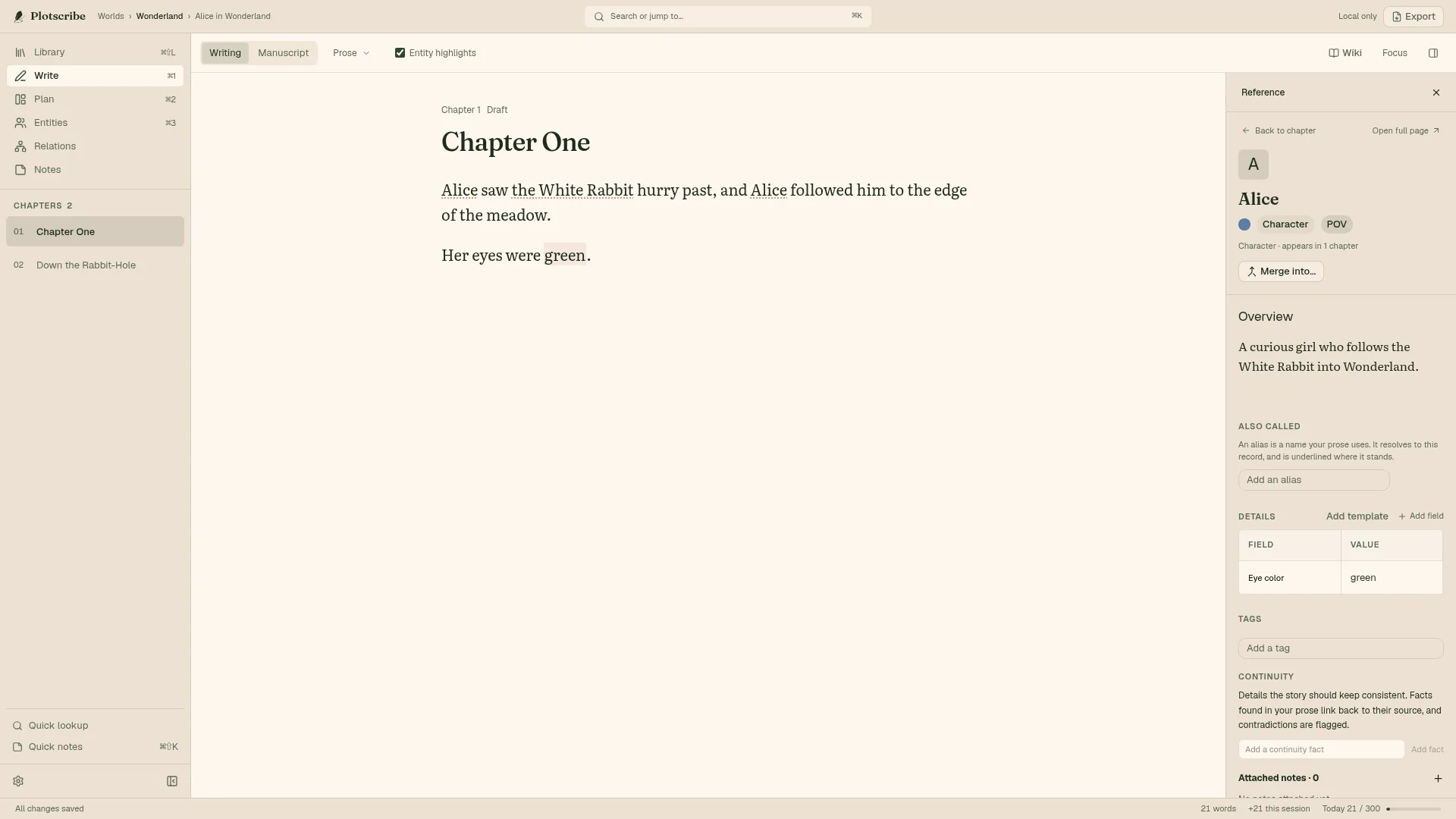
Click Alice in the prose and her record opens beside the chapter. Insert her eye color as linked prose, so changing the detail on her sheet updates the word where you chose to link it.
Plan
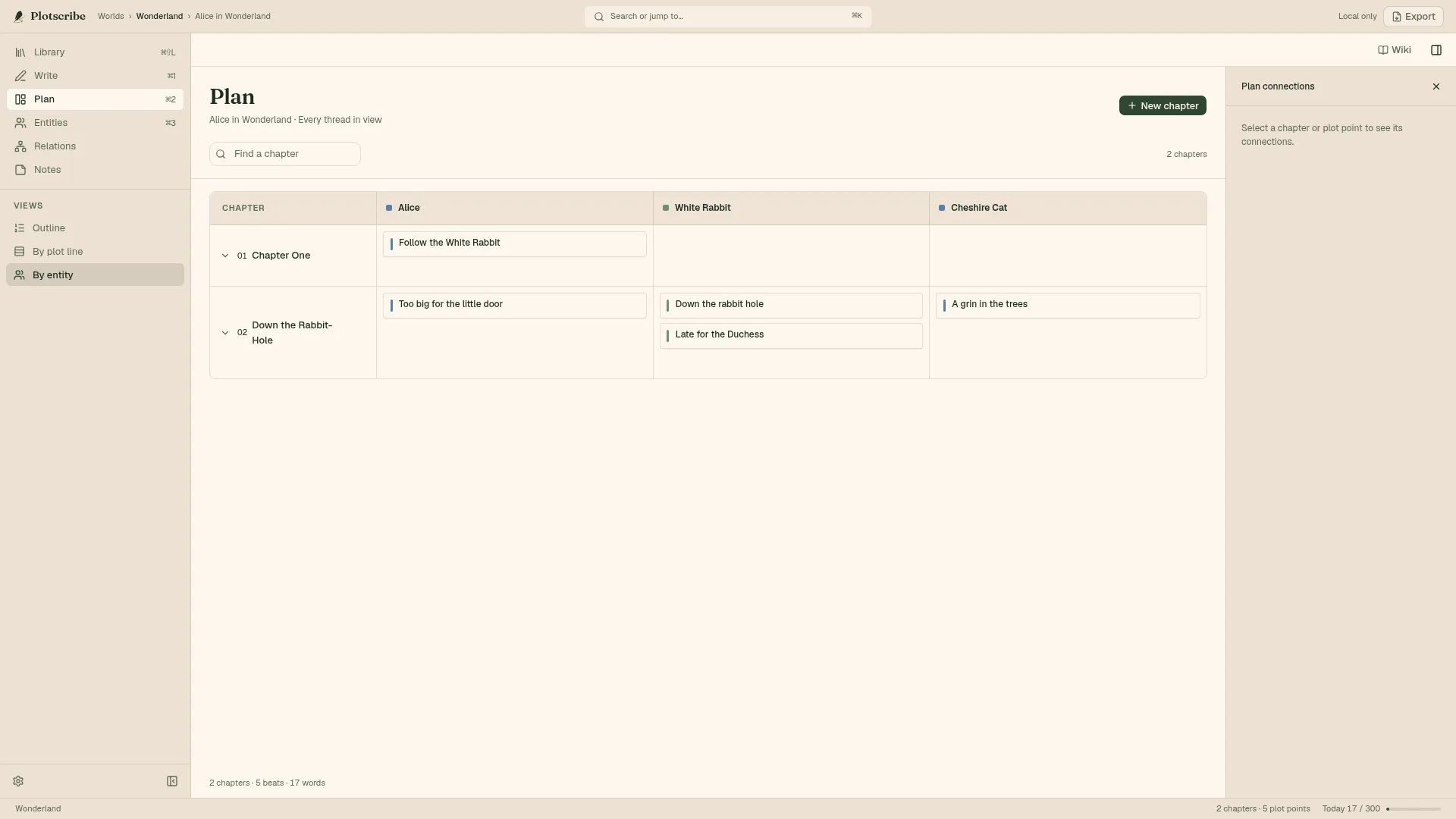
Lay out plot points by character across chapters, then drag one to where it belongs. Down the rabbit hole moves from Chapter One to the next chapter in a single gesture, with nothing to retype.
Draft
Open the Chapter context and the same plot points sit beside your draft. Keep the intention in view while you write what happens next. The words stay yours.
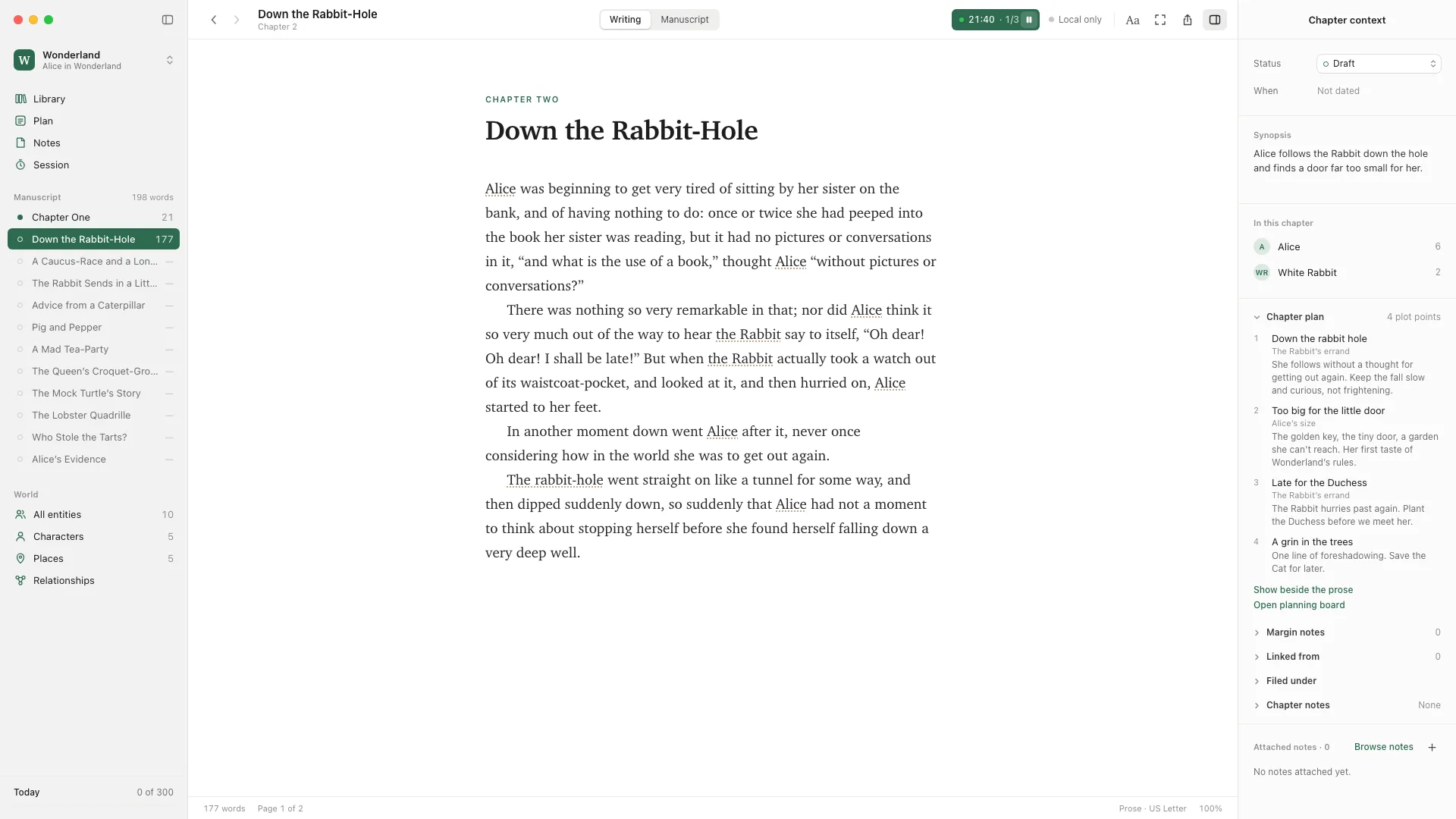
Real screenshots with a sample World. The prose is Lewis Carroll’s or written for this page, never generated by the app.
A quiet place for a solo draft, or a shared World for your writing team.
Open the desktop app and write offline. Keep your characters close and your next chapter in view, without a subscription standing between you and the page.
Free to downloadInvite co-writers and readers into a shared Workspace. Share the manuscript and its story bible, with your team’s chapters, characters, and plans in the same place.
Team pricingTry Plotscribe with your existing manuscript. Import a copy into a new World; your original files stay untouched.
Try it with your manuscriptImports bring across your text and structure, not every setting. Some things, like comments and footnotes, may not carry over, so review the import preview before committing.
There is no AI in Plotscribe today. It helps you organize your imagination, not generate it. If an AI feature ever ships, it will be optional and off until you turn it on.
Write offline on desktop. Export there without an account or connection. Your manuscript can leave whenever you choose.
Word / .docx
Compile a manuscript with named styles, or export individual chapters as Word documents.
Submission package
Create separate title-page, sample and synopsis files. The synopsis draws from your chapter synopses.
EPUB / .epub
Compile your story into an EPUB with chapter navigation for ebook readers.
Print / .pdf
Choose a trim size and compile a print PDF with embedded fonts, running heads and page numbers.
Markdown & plain text
Take your writing into another tool as Markdown or plain-text files.
World / .plotscribe
Keep your stories, characters, and plans together in a portable World file.
Reading, searching, and exporting are always available, with or without sync.
Download Plotscribe and write. Sync is a monthly subscription, only if you want your work across computers or shared with co-writers.
The full desktop app for your writing, planning, and character sheets, on every computer you own.
Free
Nothing to buy and nothing expires.
Optional on desktop. Required to edit in the browser.
$6/ month per person
Writing on your own? Sync across your computers and edit in the browser. Working together? Invite co-writers to a shared Workspace. Both include unlimited Worlds, shared media, and a year of history.
Everyone who writes in a shared Workspace has their own Sync. Readers you invite are free.
Cancel sync without losing desktop writing, reading, or export.
Plotscribe is built for novels with a lot to keep track of: fantasy worlds, science-fiction settings, mysteries, romance arcs, and multi-book series. A World can hold several books that share characters, places, and lore.
Yes. The desktop app is free to download and use, with every feature, for as long as you like. There is no trial, nothing to buy, and no account to create. You only pay if you add sync.
Yes. Create a shared Workspace and invite people to its Worlds. Sync is $6 per person per month: everyone who writes has their own, and readers you invite are free. Inviting someone never changes your bill.
Not on desktop. Writing, planning, and export in the desktop app are free. Sync is optional: $6 per month to keep your work across computers, edit in the browser, or write with others. Canceling sync leaves the browser read-only; desktop writing, reading, and export remain available.
Not to download or write. The desktop app opens and edits your Worlds without signing in. An account is only for sync and collaboration: create one, sign in, and get Sync when you want your work across computers, in the browser, or shared with co-writers.
Available for macOS, Windows, and Linux. The desktop app lets you write offline. You can also open the web app in your browser; editing there needs Sync; reading a Workspace someone shares with you is free.
No. To know whether people use the free app, the desktop app sends at most two anonymous messages a day: that it was opened, and whether you wrote. They never include your writing or anything that identifies you, and you can turn them off in Settings.
Yes. Compile a Word manuscript, a submission package with separate title-page, sample and synopsis files, an EPUB ebook, or a print PDF. You can also export Markdown, plain text, and a portable World file. Submission synopses use the chapter synopses you’ve written. Export never needs an account or a subscription.